
Plan it. Post it. Promote it.
Write your post once and share it to all your Skool communities, with clean formatting, in your voice and the right category every time.
Free plan included. No credit card needed.
Everything you need to show up on Skool and be authentically you
Flight Plan sits right beside Skool in Chrome, or you can open it as its own page. Sharing, following up and finding promotion opportunities all happen in one easy place.
Write once, share everywhere
Choose your communities and Flight Plan fills in each one with your post and its category.
Formatting that comes through
Paste from Word, Google Docs or your favorite AI software. Your bold, italic and lists arrive clean.
My Spaces
Every community you promote in, saved with its category, promo days and rules. Each day your Dashboard shows you exactly where you can promote, based on your rules.
Notifications, sorted by type
Stay on top of every notification without giving up hours of your day to the Skool bell.
Tasks and follow ups
Turn any notification into a task, track it on a board and get a reminder.
Daily routine
A simple daily checklist that keeps your Skool habit on track.
Message templates
Save the replies and welcome messages you send most, so every DM is ready when you are.
Calendar PRO
See every scheduled post at a glance and plan your week of promotion ahead.
Activity history
A record of what you shared, where and when, with likes and comments on Pro.
Write once. Share everywhere. Celebrate. 🎉
Choose your communities, click Share, and Flight Plan fills in each one with your post and its category. You give it a final look and click POST in Skool yourself, then Flight Plan celebrates with you.
- Pick all your communities in one click
- Your formatting and the right category every time
- You approve every post before it goes out
- A little confetti and a paper airplane each time you post
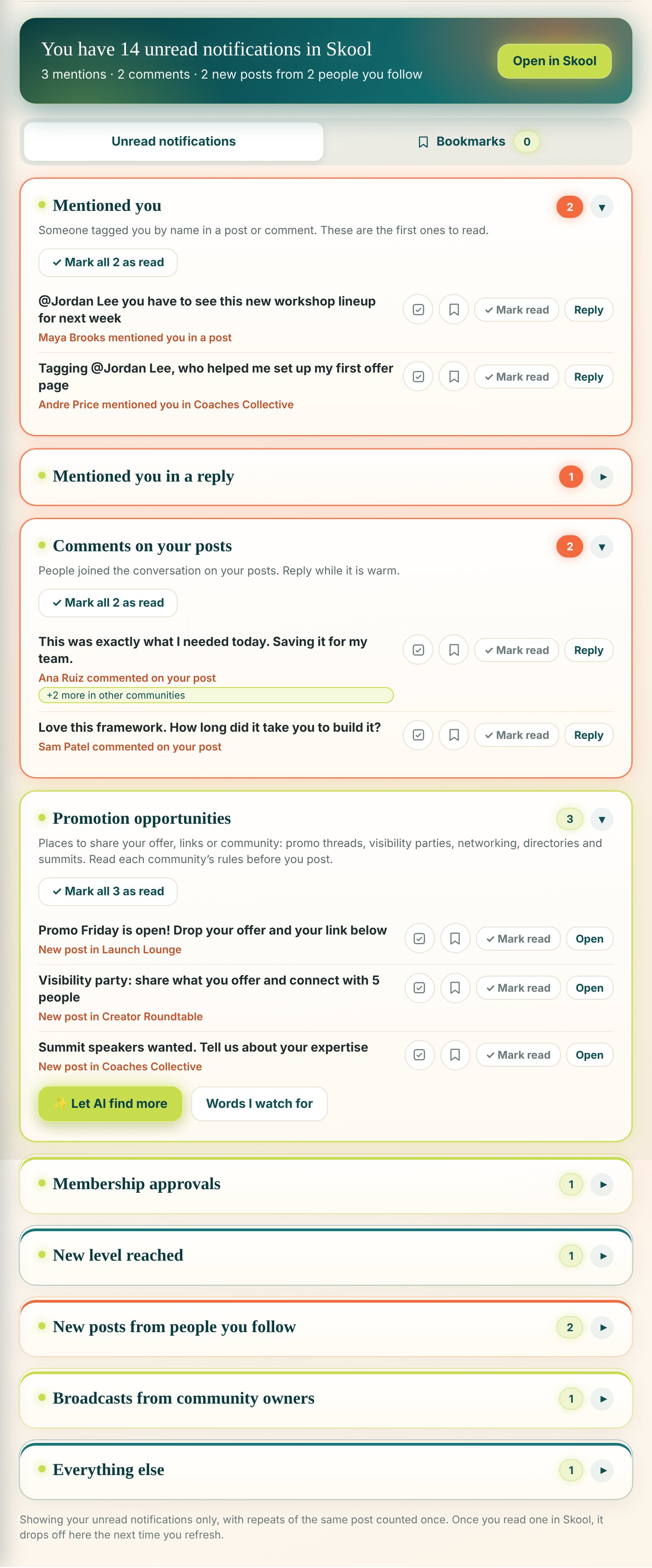
Keep every notification. Spend far less time on them.
No more turning notifications off just to get your day back. Flight Plan sorts your Skool notifications by type, so you can work through them quickly in Flight Plan instead of scrolling the Skool bell one by one.
- Mentions, comments, approvals and new levels each in their own box
- Repeats of the same post shown once
- Promotion opportunities pulled out for you, so you never miss a place to share
- Mark everything read in one click, and Skool's bell matches

Every community you promote in, organized
If you share in a lot of Skool communities, keeping track of where and when you can promote is a job in itself. My Spaces keeps it all in one place.
- Save a community in one click, with its categories filled in for you
- Set each community's default category, promo days and rules to remember
- Every day, your Dashboard lists the communities where you can promote, based on the promo days and rules you saved
- Pick your communities in one click when you share a post
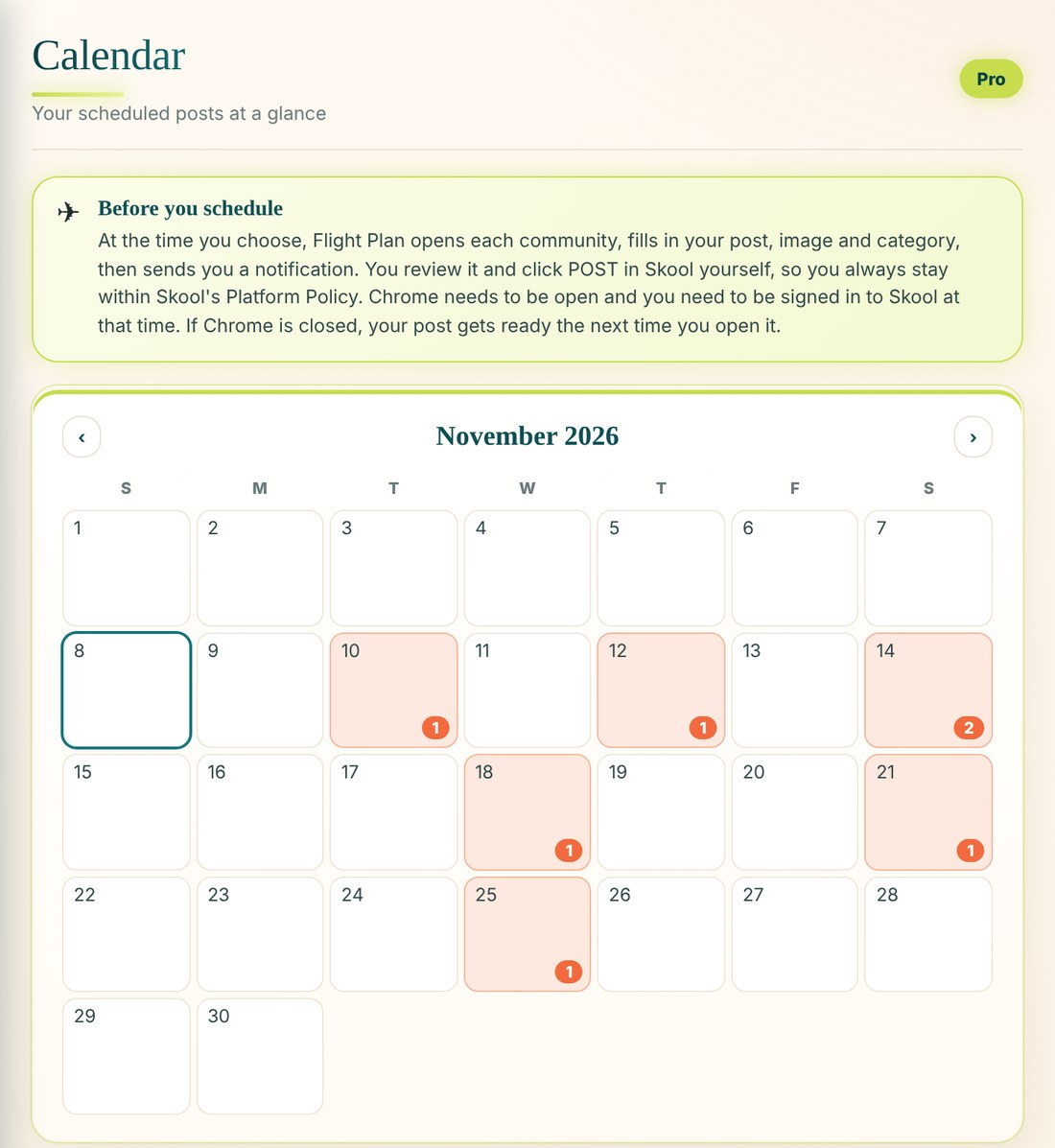
Plan your week on the Calendar
Schedule posts ahead and see them all on your Calendar. At the time you pick, Flight Plan gets each post ready and reminds you to click POST.
- Calendar view of every scheduled post
- Unlimited communities and saved posts you can reuse
- Likes, comments and your best post each week
- 12 months of activity history
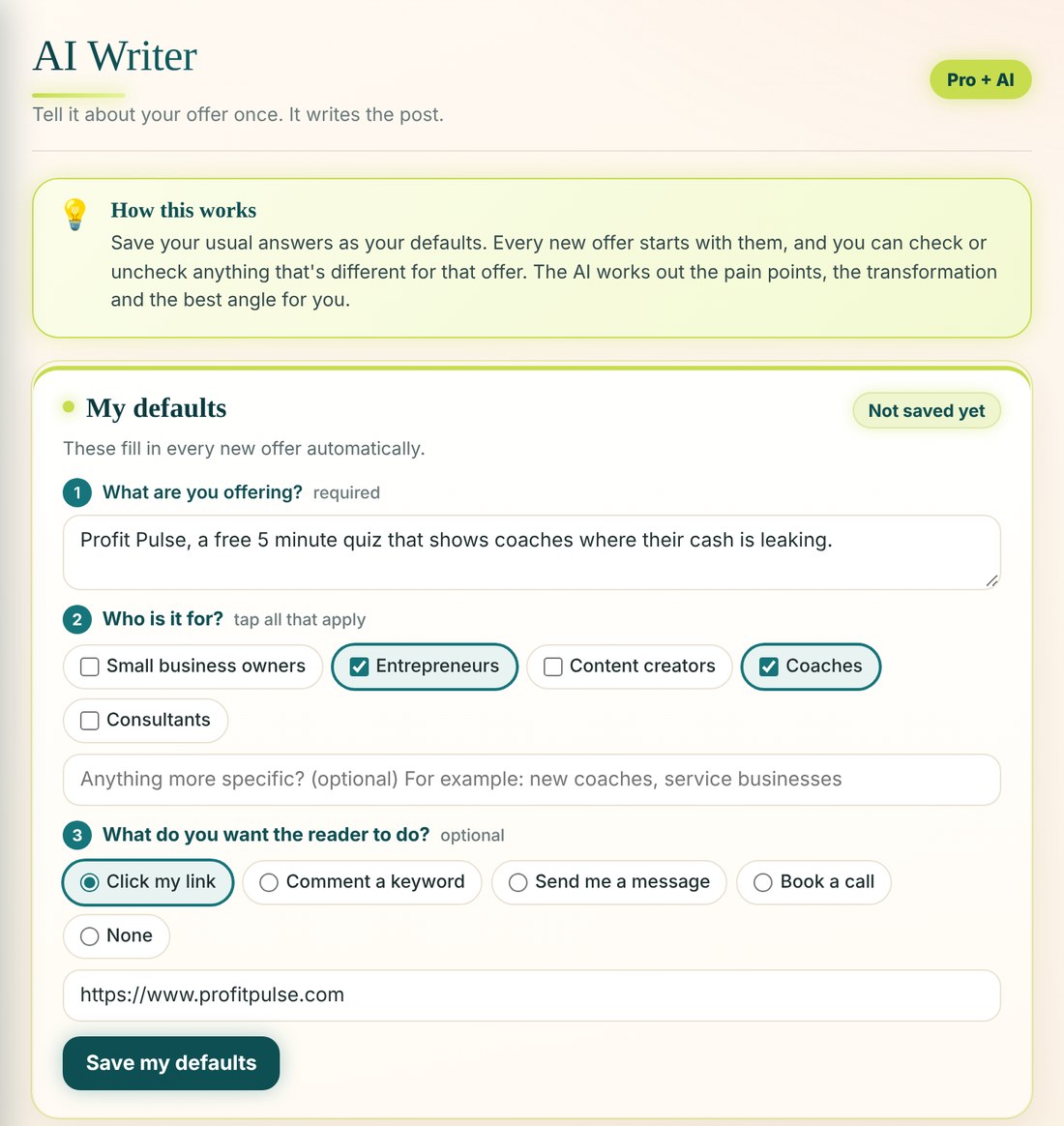
Let AI write your post
Tell the AI Writer about your offer once. It writes the hook, the post and your call to action.
- AI Writer for offers and promotions
- Start with one post idea and pick your favorite from three title options
- AI promotion finder spots more chances to share
We never ask for your
Skool login credentials
Flight Plan works inside your own Chrome browser, beside the Skool site you are already signed in to, or on its own tab. Your Skool username and password are never collected, stored or sent to any server, and Flight Plan never signs in to Skool for you. Your communities, drafts and tasks stay on your computer.
Every post is yours. Always.
Skool is built for real people showing up in real communities, and its rules keep bots and automated posting out. Flight Plan was built around that. It saves you the busywork of copying, formatting and choosing categories, then leaves the decision with you.
Every post is written in your voice, from your own account, and nothing goes out without your approval. No bots writing or posting for you, and no one signing in to Skool on your behalf.
- You review every postFlight Plan fills it in. You read it, adjust it and decide.
- You approve every postNothing goes out without your approval. You stay in control of what is shared.
- You reply as yourselfNotifications and messages open in Skool, so every reply is personal.
- Built to respect Skool's rulesFlight Plan works inside your own browser alongside Skool or on its own tab, the way Skool intends people to show up.
Start free. Upgrade when you are ready.
Monthly plans with no contract. Cancel anytime from Settings.
Free
- Post to up to 10 communities
- Sorted notifications
- My Spaces with promo days
- Tasks and message templates
- 14 days of activity history
Pro
- Everything in Free
- Unlimited communities
- Schedule posts and Calendar
- Saved posts
- Likes, comments and weekly results
- 12 months of activity history
Pro + AI
- Everything in Free plus Pro
- AI Writer
- Saved offers and defaults the AI writes from
- AI promotion finder
- Full activity history with no time limit
Install the free extension first, then upgrade anytime from inside Flight Plan. A confirmed email is required on every plan.
Give your posts a flight plan
Write once, share to every community and keep your follow ups on track, all in one place.
Add to Chrome, it's free